

How to Choose the Best Laptop Solid State Drive for Your Needs

Introduction
In the rapidly evolving landscape of modern computing, the storage subsystem acts as the heartbeat of system performance. For businesses, resellers, and system integrators, the choice of storage component is no longer a mere afterthought but a pivotal decision that dictates the longevity and capability of hardware deployments. As we look toward the procurement cycles of 2025 and 2026, the market is witnessing an unprecedented shift toward high-speed, reliable flash memory.
This transition is driven by the increasing complexity of software applications and the data-heavy demands of modern enterprise workflows. Selecting the best laptop solid state drive is, therefore, not just about upgrading a component; it is about unlocking the full potential of a computing device, ensuring that it meets the rigorous demands of professional environments and end-user expectations.
For wholesale buyers and those focused on OEM customization, the criteria for selecting a solid state disk drive extend far beyond read and write speeds. It involves a comprehensive analysis of supply chain reliability, customization options, and total cost of ownership. The right storage solution can significantly reduce technical support calls, minimize device downtime, and enhance the overall user experience, leading to higher customer retention rates. Whether upgrading legacy infrastructure or configuring new fleet devices, understanding the technical specifications and market trends is essential. This guide serves as a strategic resource for navigating the solid state market, ensuring that every purchasing decision maximizes value and aligns with the specific needs of business clients and end-users alike.
1. Why the Best Laptop Solid State Drive is Critical for Modern Business Performance
The evolution of data storage has transitioned from mechanical platters to high-speed flash memory, making the solid state drive for pc an indispensable component in modern computing. For businesses, IT procurement managers, and custom integrators, selecting the right storage solution is no longer just about capacity; it is about delivering a responsive user experience and ensuring long-term reliability. As we move further into the mid-2020s, the demand for speed and efficiency in business operations has rendered traditional Hard Disk Drives (HDDs) obsolete for primary system drives. The immediate benefit of upgrading to a flash-based solution is evident in boot times, application loading speeds, and overall system responsiveness, directly correlating to employee productivity and customer satisfaction in retail environments.
For wholesale buyers and B2B clients, the stakes are uniquely high. Unlike a single consumer buying one upgrade, a business purchasing in bulk must ensure consistency across hundreds or thousands of units. A best laptop solid state drive chosen for a fleet of corporate laptops must balance high performance with stringent power efficiency and thermal management.
If a storage drive fails or underperforms, the cost of support and downtime far exceeds the initial hardware saving. Therefore, understanding the nuances of controller technology, NAND flash types, and interface protocols is essential for making procurement decisions that align with organizational goals. The focus must shift from viewing storage as a commodity to recognizing it as a strategic asset that defines the capability of the hardware fleet.
Recent market trends indicate a massive surge in data creation, with industry projections estimating that the global datasphere will grow to over 180 zettabytes by 2025. For businesses relying on solid state drive for pc deployments, this statistic underscores the necessity of robust storage solutions. High-performance drives reduce latency in data-intensive tasks such as video editing, financial modeling, and database management. By prioritizing speed and reliability, companies can future-proof their investments, ensuring that their hardware remains capable of handling emerging software requirements for years to come. The strategic importance of selecting a top-tier drive lies in its ability to maintain system stability under heavy workloads, a critical factor for maintaining professional workflow continuity.
2. How Global Market Trends Influence Solid State Drive Selection in 2026
Understanding the macroeconomic and technological trends shaping the storage industry is crucial for wholesale buyers aiming to make informed inventory decisions. The SSD market is currently undergoing significant transformation, influenced by fluctuations in NAND flash pricing and the impending obsolescence of older interface standards. As we approach 2026, industry analysts forecast a stabilization in NAND flash production costs, which presents a prime opportunity for businesses to secure high-capacity solid state disk drive inventory at competitive rates. This trend allows B2B buyers to move away from conservative 256GB or 512GB configurations and standardize on 1TB or 2TB options, offering greater value to end-users without drastically impacting per-unit costs.

Another defining trend is the widespread adoption of the PCIe 5.0 standard in consumer and enterprise laptops. While PCIe 4.0 remains the workhorse for the majority of current deployments, the transition to 5.0 is gaining momentum. This evolution necessitates that wholesale buyers carefully scrutinize the interface compatibility of their chosen best laptop solid state drive.
Stocking legacy SATA drives may become a liability as motherboard manufacturers phase out SATA ports to save physical space within slim laptop chassis. Consequently, the market is seeing a sharp decline in SATA SSD demand, replaced almost entirely by M.2 form factors utilizing the NVMe protocol. Buyers must align their procurement strategies with these hardware shifts to avoid stocking components that are incompatible with the latest generation of laptops and ultrabooks.
Furthermore, the rise of Edge Computing and the Internet of Things (IoT) is driving demand for ruggedized and industrial-grade storage solutions. Standard commercial drives may not suffice for devices deployed in harsh environments, such as digital signage in outdoor settings or industrial tablets in manufacturing plants. This has led to a growing segment of the market focused on solid state drive for pc variants that feature enhanced endurance ratings and wider operating temperature ranges. For wholesalers offering customization services, stocking these specialized drives can open up lucrative B2B verticals.
Anticipating these shifts allows distributors to cater not just to the general office market, but to specialized industrial sectors where durability and data integrity are paramount, thereby diversifying revenue streams and strengthening client partnerships.
3. How Interface Protocols and Form Factors Define Performance
The physical connection and the communication protocol of a storage drive are the primary determinants of its performance capabilities. Navigating the distinctions between SATA and NVMe, as well as the physical form factors like 2.5-inch and M.2, is fundamental for selecting the right component. The solid state disk drive market is dominated by these two primary interfaces, each serving distinct performance tiers and use cases. For bulk customization, understanding these differences ensures that the supplied hardware matches the technical capabilities of the target laptop chassis, preventing bottlenecks that can cripple system performance.
3.1. Why NVMe is the Standard for High-Performance Business Needs
NVMe (Non-Volatile Memory Express) was designed specifically for flash memory, overcoming the bottlenecks inherent in the older AHCI protocol originally intended for mechanical hard drives. An NVMe best laptop solid state drive utilizes the high-bandwidth PCIe bus, allowing for significantly faster data transfer rates compared to SATA. While a SATA SSD is limited to approximately 560 MB/s, a modern Gen4 NVMe drive can exceed 7,000 MB/s. For B2B clients involved in content creation, data analysis, or software development, this difference is transformative. It means faster compile times, quicker file transfers, and a noticeably snappier operating system.
The architecture of NVMe also supports deeper command queues and parallel processing, which translates to better multitasking performance. In a business environment where a user might run a virtual machine, a database, and heavy productivity applications simultaneously, the ability of the drive to handle multiple data requests efficiently is critical. When sourcing solid state drive for pc units for high-performance workstations, prioritizing NVMe technology is non-negotiable. As software suites become more resource-intensive, the parallel processing capabilities of NVMe ensure that the storage subsystem does not become the limiting factor in productivity. For wholesale buyers, this means offering a product that justifies a higher price point through demonstrably superior performance metrics.
3.2. Which Form Factor Best Suits Your Customization Requirements
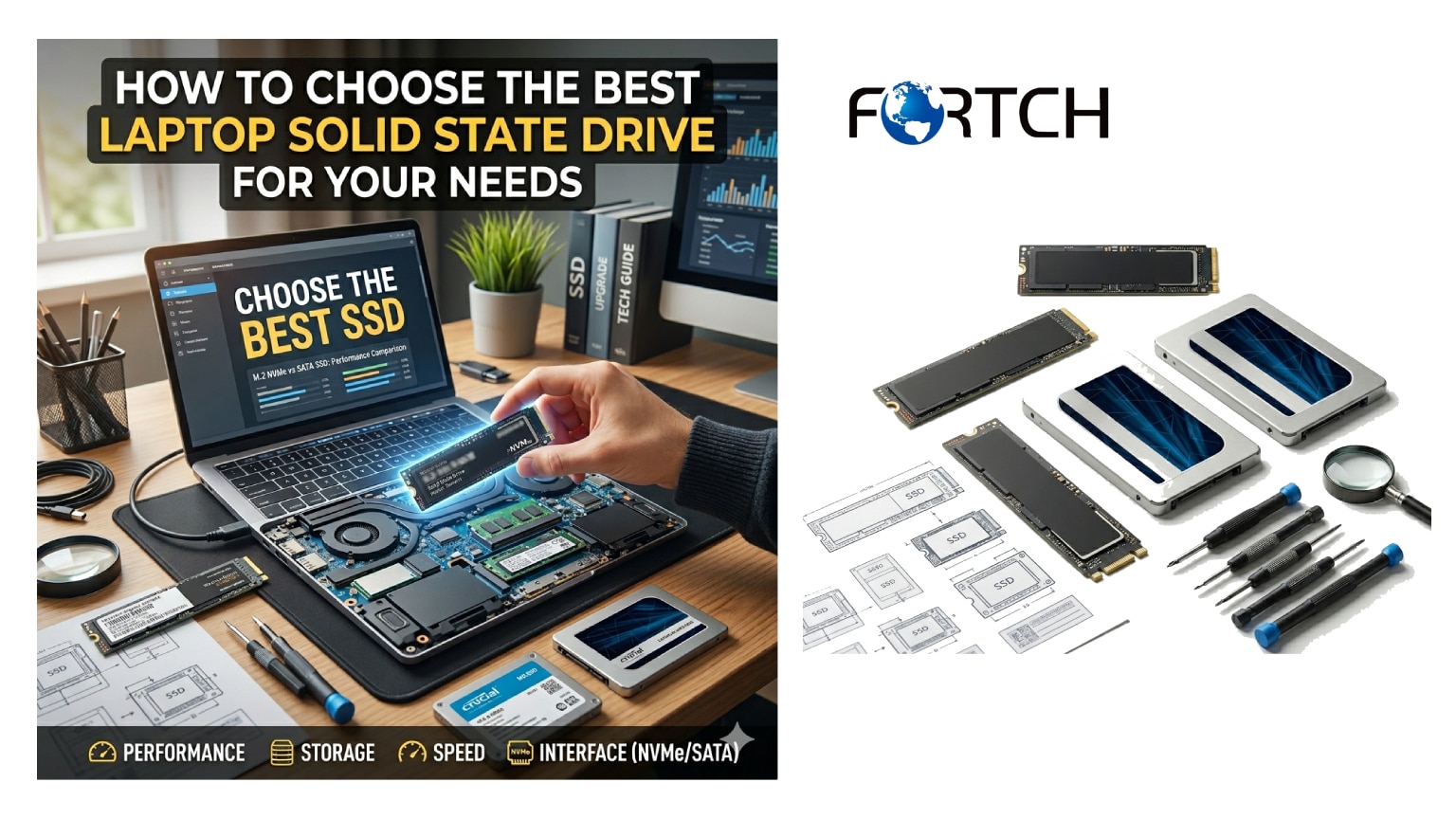
The physical size and connector type of the drive must align perfectly with the laptop’s motherboard design. The most common form factors for modern laptops are the M.2 and the 2.5-inch drive. The M.2 form factor is the preferred choice for the best laptop solid state drive in new laptops and ultrabooks due to its compact size. M.2 drives plug directly into the motherboard, eliminating the need for bulky cabling and allowing for slimmer device profiles. However, M.2 drives come in different keys (such as B-key and M-key) and lengths (typically 2280, 2260, or 2230). Accurate customization requires verifying these specifications to ensure compatibility.
Conversely, the 2.5-inch form factor resembles a traditional hard drive and utilizes a SATA data cable and power connector. While largely phased out in the thinnest consumer laptops, this form factor remains relevant in larger business laptops, rugged industrial notebooks, and older upgrade scenarios. For businesses refurbishing older hardware or bulk ordering solid state disk drive units for legacy systems, 2.5-inch SATA drives remain a viable and cost-effective market segment. However, for new projects focused on cutting-edge hardware, the M.2 NVMe configuration is the industry standard. Wholesale suppliers must maintain a diverse inventory that accommodates both legacy and modern requirements, offering flexible solutions that cater to the varied installed bases of their B2B clients.
4. Which NAND Flash Technology Offers the Best Balance of Cost and Endurance?
The specific type of NAND flash memory used in a drive dictates its performance, longevity, and price point. NAND flash is categorized into Single Level Cell (SLC), Multi-Level Cell (MLC), Triple Level Cell (TLC), and Quad Level Cell (QLC), based on the number of bits stored per cell. For wholesale buyers and custom integrators, choosing the right solid state drive for pc involves balancing the budget constraints of the client against the durability requirements of the application. This selection process is critical for ensuring that the drive does not fail prematurely under heavy write workloads, a key concern for maintaining business continuity.
4.1. Why TLC NAND Remains the Industry Standard for Versatility
Triple Level Cell (TLC) NAND stores three bits per cell and currently represents the “sweet spot” for the majority of commercial and enterprise applications. Modern TLC NAND has evolved to offer performance and endurance levels that rival older MLC technologies, making it the default choice for the best laptop solid state drive. Advances in controller algorithms and 3D stacking have mitigated the historical longevity issues of TLC. For B2B buyers, TLC drives offer an excellent balance of high storage density, reasonable cost, and sufficient endurance for general business computing, including office applications, light content creation, and multitasking.
The widespread adoption of TLC also means economies of scale are in effect, keeping prices competitive for bulk orders. When procuring solid state disk drive inventory for standard business fleets, TLC provides the most reliable return on investment. It ensures that the drives can handle the daily read/write cycles of a typical work environment without the higher price tag of enterprise-grade SLC or MLC. Furthermore, the performance consistency of modern TLC drives, often bolstered by a DRAM cache, makes them suitable for high-end ultrabooks and professional workstations, offering a versatile solution that fits a broad spectrum of client needs.
4.2. How QLC NAND Serves High-Capacity, Read-Intensive Use Cases
Quad Level Cell (QLC) NAND stores four bits per cell, offering the highest storage density and the lowest cost per gigabyte. This makes QLC an attractive option for bulk storage where budget is the primary constraint and write workloads are light. A best laptop solid state drive utilizing QLC technology is ideal for entry-level laptops, student devices, or kiosks where data is written infrequently but read often. For wholesalers targeting the education sector or budget-conscious small businesses, QLC drives provide a pathway to equipping more users with solid state storage at a lower total cost of deployment.
However, QLC has drawbacks in terms of endurance and sustained write performance. When a QLC drive exhausts its fast SLC cache, write speeds can drop significantly, which may hinder users working with large files regularly. B2B buyers must assess the specific use case of the hardware before recommending QLC-based solid state drive for pc upgrades. While unsuitable for heavy video editing or server workloads, QLC excels in archival roles and consumer-grade productivity tools. Transparency with clients regarding the limitations of QLC is essential to manage expectations and prevent dissatisfaction. By strategically deploying QLC in appropriate hardware tiers, businesses can maximize their storage capacity while adhering to strict budget limitations.
4.3. When to Opt for Specialized NAND for Industrial Applications
In certain specialized B2B verticals, such as industrial automation, military, or high-end medical imaging, standard TLC or QLC NAND may not suffice. These environments require “pSLC” (pseudo-SLC) or true SLC NAND, which offer vastly superior endurance and data retention capabilities. A solid state disk drive built with these specialized technologies can withstand extreme temperatures, vibration, and shock, alongside handling a much higher volume of write cycles. For wholesalers serving the industrial market, stocking these ruggedized drives is a niche but high-value strategy.
Customization in this sector often goes beyond the drive itself, involving firmware modifications to support power-loss protection or specific data security features. When sourcing best laptop solid state drive units for field-deployed laptops, such as those used in logistics or construction, the added cost of industrial-grade NAND is justified by the reduction in field failures. The ability to offer these specialized components distinguishes a supplier from generic distributors, positioning them as a partner capable of solving complex engineering challenges. As automation and smart factory initiatives expand globally, the demand for these robust storage solutions is projected to grow, making it a prudent area for inventory expansion.
5. How to Evaluate Reliability, Warranty, and Supply Chain Stability
In the B2B context, the reliability of the hardware is just as important as its performance specifications. A failed drive can result in lost data, operational downtime, and increased IT support costs. When selecting a solid state drive for pc for corporate fleets, procurement officers must look beyond the gigabytes and read speeds to analyze the Mean Time Between Failures (MTBF), Terabytes Written (TBW) ratings, and the warranty support structure. These metrics provide a quantitative measure of the drive’s expected lifespan and the manufacturer’s confidence in its product quality.
5.1. Why TBW and MTBF Metrics Matter for Bulk Procurement
Terabytes Written (TBW) is an estimate of the total amount of data that can be written to a drive before it is likely to fail. For a best laptop solid state drive deployed in an office environment, a TBW rating that exceeds the drive’s warranty period by a comfortable margin is desirable.
For instance, a drive with a 600 TBW rating effectively allows for writing 328 GB of data every day for five years. B2B buyers should calculate the expected write workload of their users and match it with the TBW rating to ensure the drives are fit for purpose. Selecting a drive with a low TBW rating for a high-write environment, such as a video editing station, will lead to premature failures and increased replacement costs.
Similarly, Mean Time Between Failures (MTBF) provides a statistical projection of reliability. A higher MTBF figure, typically in the range of 1.5 million to 2 million hours for modern SSDs, indicates a robust design and quality manufacturing process. When ordering solid state disk drive units in bulk, leveraging these metrics allows businesses to standardize on components that offer the lowest total cost of ownership. It moves the conversation from the upfront price per unit to the long-term value and reliability of the investment. By prioritizing high-TBW and high-MTBW drives, businesses protect their data integrity and ensure consistent operational uptime across their hardware fleets.
5.2. How to Leverage Wholesale Warranty and RMA Services
For wholesale buyers and custom integrators, the warranty terms are a critical component of the vendor relationship. Standard consumer warranties, often limited to three years, may not align with the depreciation cycles of enterprise hardware, which is often kept in service for five to seven years. Sourcing a solid state drive for pc that offers extended warranty options or enterprise-class support agreements is essential for B2B clients. Furthermore, the efficiency of the Return Merchandise Authorization (RMA) process impacts the total cost of ownership; a complicated or slow RMA process can leave employees without functional equipment for extended periods.
Customization services can also play a role here. Some manufacturers offer firmware locking or custom branding on the drives, which can complicate RMA processes if not managed correctly. It is vital to establish a clear agreement with the supplier regarding how warranty claims are handled for customized best laptop solid state drive batches. A reliable supplier will offer advance replacement services, minimizing downtime. By integrating warranty performance into the vendor selection criteria, businesses ensure that they are not just buying a product, but purchasing a guaranteed level of service and support that safeguards their operations against hardware failure.
5.3. Why Supply Chain Transparency is Vital for 2026 Planning
The global semiconductor supply chain has experienced significant volatility in recent years. For businesses planning large-scale deployments or product launches in 2026, securing a reliable supply of solid state disk drive components is a strategic priority. Working with manufacturers that provide transparency regarding their chip sourcing, production capacity, and inventory allocation is crucial. Relying on gray market drives or unauthorized distributors can lead to issues with counterfeits, inconsistent quality control, and lack of warranty support.
Direct partnerships with established OEM or ODM manufacturers allow wholesale buyers to lock in pricing and secure priority allocation of components during shortages. This is particularly important for projects involving specific customizations, such as specialized firmware or encryptions. When selecting a supplier for solid state drive for pc units, buyers should assess the financial health and production scale of the vendor. A stable supplier reduces the risk of project delays caused by stockouts. In a market where demand for high-performance storage is consistently outpacing supply, a robust supply chain strategy is a competitive differentiator that ensures product availability and timely delivery for B2B clients.
6. Which Customization Options Provide a Competitive Edge
In a crowded market, offering generic products often leads to price wars that erode margins. For wholesalers, resellers, and system integrators, leveraging customization options is a powerful strategy to differentiate their offerings and build brand loyalty. Modern storage manufacturers offer a variety of customization services for the best laptop solid state drive, ranging from physical branding to firmware modifications. These tailored solutions allow businesses to meet specific client requirements while embedding their own brand identity into the hardware, creating a premium, integrated experience for the end-user.
6.1. How Physical Branding and Labeling Enhance Product Identity
Customizing the physical appearance of the drive is an effective way to reinforce brand presence. For system integrators building white-label laptops or high-performance workstations, a solid state disk drive featuring a custom label or logo with specific part numbers and branding can significantly enhance the professionalism of the final product. This is particularly relevant for the boutique PC market, where the internal aesthetic and branding components contribute to the perceived value of the machine. Even though the drive is internal, having custom labeling simplifies inventory management and technical support, as technicians can quickly identify specific drive configurations and firmware versions via the branding.
Beyond labeling, some suppliers offer customized packaging solutions. For B2B clients distributing kits or upgrade packages, retail-ready packaging with their own branding adds a layer of polish and control. When sourcing solid state drive for pc units for resale, negotiating for custom packaging and labeling is a low-cost way to elevate the product’s market positioning. It transforms a generic component into a proprietary part of the solution stack, making it harder for competitors to replicate the exact offering and helping to secure long-term contracts with clients who value a consistent brand experience.
6.2. Why Firmware Customization is Key for Specific Use Cases
The most impactful customization often happens at the firmware level. Firmware defines how the drive behaves, manages data, and interacts with the operating system. For specialized applications, such as digital signage, gaming consoles, or encrypted corporate laptops, off-the-shelf firmware may not be optimal. A best laptop solid state drive can be customized with firmware tweaks to prioritize read performance (for media streaming), minimize write amplification (for longevity), or enforce specific security protocols like TCG Opal or hardware encryption. For B2B buyers with technical capability, offering firmware-customized drives opens doors to high-value niche markets.
For example, in the surveillance industry, drives are often required to support continuous 24/7 recording without dropping frames. Firmware can be tuned to handle this specific workload more effectively than a standard desktop drive. Similarly, for enterprise clients, solid state disk drive units can be configured to support extended temperature ranges or specific power states to extend battery life in portable devices. By collaborating with manufacturers to provide these specialized firmware builds, wholesalers position themselves as solution providers rather than mere component movers.
6.3. How to Utilize Capacity and Performance Tiers for Market Segmentation
Customization is not just about altering the product; it is about selecting the right configuration tiers to match different market segments. A solid state drive for pc does not need to be a one-size-fits-all component. Wholesalers can curate a portfolio that ranges from entry-level QLC drives for budget systems to high-end TLC NVMe drives with DRAM cache for flagship models. This segmentation allows resellers to target a broader audience effectively. By offering “Good, Better, Best” options, sales teams can upsell clients based on their specific performance needs and budget constraints, maximizing the revenue potential of every customer interaction.
Furthermore, for clients with unique hardware constraints, custom capacities can sometimes be negotiated. While standard capacities like 512GB, 1TB, and 2TB dominate the market, specific industrial or embedded applications might require non-standard capacities to optimize cost or physical space. Establishing a supply chain that accommodates these specific requests is a hallmark of a dedicated B2B partner. Tailoring the best laptop solid state drive selection to the precise needs of the application—whether through performance tuning, capacity tweaking, or interface adaptation—demonstrates a comprehensive understanding of client needs and drives higher conversion rates in competitive bidding scenarios.
7. How to Calculate Total Cost of Ownership for Storage Investments
When making bulk purchasing decisions, the initial acquisition price is often the primary focus. However, for B2B buyers and IT managers, the true metric of value is the Total Cost of Ownership (TCO). TCO encompasses the purchase price, installation costs, energy consumption, productivity impact, and potential replacement costs over the lifespan of the drive. Analyzing TCO is essential for justifying the procurement of a best laptop solid state drive that may have a higher upfront cost but offers superior long-term savings through reliability and efficiency.
7.1. Why Efficiency and Durability Reduce Long-Term Costs
Solid state drives are inherently more power-efficient than mechanical hard drives because they lack moving parts. This efficiency translates to longer battery life for laptops, which is a critical metric for mobile workforces. A solid state disk drive that optimizes power consumption during idle states and data access can extend the operational runtime of a fleet of laptops by a noticeable margin. Over a year of daily use, this reduction in power draw accumulates, resulting in significant savings on electricity costs for large organizations. Additionally, the durability of SSDs reduces the likelihood of data loss due to physical shocks or drops, a common occurrence with mobile hardware.
The cost of data loss is astronomical, often involving regulatory fines, lost revenue, and reputational damage. By investing in high-quality, durable solid state drive for pc units, businesses mitigate these risks. The cost of replacing a failed drive and the man-hours spent reimaging a machine far exceed the price premium of a high-endurance commercial drive. Therefore, TCO analysis must factor in the “cost of failure.”
A drive with a higher TBW rating and a 5-year warranty typically offers a lower TCO than a cheaper consumer drive with a 3-year warranty, as it is less likely to fail within a standard depreciation cycle. Reducing the frequency of hardware failures directly improves the productivity and efficiency of the IT support team and the workforce at large.
7.2. How Performance Gains Translate into Revenue
For many businesses, time is the most valuable asset. In high-frequency trading, real-time rendering, or software development, the speed of the storage subsystem directly impacts the ability to generate revenue or meet deadlines. A best laptop solid state drive that minimizes latency allows professionals to complete tasks faster. If a video editor can save 10 minutes on every project due to faster file rendering and transfers, this cumulative time gain represents a tangible increase in operational capacity. In a corporate setting, faster boot times and application loading reduce the “wait time” that employees experience, leading to a cumulative increase in productive hours across the organization.
When pitching storage solutions to B2B clients, it is crucial to frame the discussion around ROI (Return on Investment). A solid state disk drive upgrade reduces the time required for data processing, system backups, or complex calculations makes the purchasing decision easier for financial stakeholders. This perspective shifts the conversation from “spending money on storage” to “investing in operational speed.” For wholesalers and integrators, providing case studies or performance benchmarks that demonstrate these productivity gains can be a powerful sales tool, validating the premium price of high-performance drives through clear, data-driven business outcomes.
8. Which Solid State Drive is Right for Your 2026 Business Strategy?
As we look toward the business landscape of 2026, the choice of storage technology will play a central role in defining the capabilities of IT infrastructure. The convergence of AI-driven applications, cloud computing, and remote work necessitates hardware that is fast, reliable, and secure. Selecting the right solid state drive for pc involves a holistic view of the organization’s trajectory. A company focused on digital transformation and high-performance computing will prioritize NVMe Gen5 drives with high endurance, while a business focused on cost-effective general office automation may find TLC-based Gen4 drives to be the most pragmatic solution.
Strategically, businesses should avoid a fragmented storage environment where different departments use incompatible or varying tiers of technology. Standardizing on a specific range of best laptop solid state drive products simplifies procurement, reduces inventory overhead, and streamlines technical support. This standardization also creates leverage when negotiating with suppliers, as large, consistent orders are highly valued. By aligning the storage strategy with the overall business goals—whether that is speed, security, or capacity—organizations ensure that their IT infrastructure acts as an enabler rather than a bottleneck. For wholesale buyers, this means curating a product lineup that aligns with these prevailing business strategies, stocking the drives that will be in high demand as the market evolves.
The decision-making process must also account for the rapid pace of technological advancement. Investing in future-proof technology, such as drives with upgradeable firmware or interfaces that remain compatible for several generations, protects the investment. The solid state disk drive market will continue to see innovation in NAND density and controller efficiency. Buyers should maintain close relationships with manufacturers to stay abreast of these developments, ensuring their procurement strategy remains agile and informed. By planning for the requirements of 2026 now, businesses can avoid the costly cycle of frequent, reactive hardware replacements, instead implementing a controlled, strategic upgrade path that maximizes value over time.
Conclusion
Navigating the complexities of the modern storage market requires a deep understanding of both technical specifications and business dynamics. From the intricate architecture of NAND flash and the high-speed protocols of NVMe to the strategic importance of supply chain stability and customization, the choice of the best laptop solid state drive is a multifaceted decision. For wholesale buyers, system integrators, and B2B procurement managers, the objective is clear: to source storage solutions that offer an optimal balance of performance, reliability, and cost-efficiency. By prioritizing components that align with the specific workloads of their clients and anticipating the trends of 2026, businesses can secure a competitive advantage in the hardware market.
The role of the solid state disk drive has evolved from a simple repository for files to a critical performance engine. As data volumes grow and applications become more demanding, the margin for error narrows. Selecting inferior or inappropriate storage solutions risks increased downtime, user dissatisfaction, and higher long-term costs. Conversely, a strategic approach to sourcing solid state drive for pc units—emphasizing TBW ratings, firmware customization, and supply chain transparency—results in a robust, efficient, and scalable IT infrastructure.
We invite you to partner with our wholesale and customization experts to design the perfect storage solution for your specific business needs. Whether you require high-performance NVMe drives for flagship workstations, ruggedized SSDs for industrial deployments, or cost-effective TLC solutions for fleet upgrades, we offer the technical expertise and supply chain reliability to deliver.
Frequently Asked Questions
1. How do I know which SSD is compatible with my laptop?
Compatibility depends on two main factors: physical form factor and interface.
- Form Factor: Most modern laptops use M.2 drives (which look like small sticks of RAM). Older or thicker laptops may use 2.5-inch SATA drives (which look like small, rectangular bricks).
- Interface: You must check if your laptop supports NVMe (PCIe) or SATA.
- Tip: Check your laptop’s manual or manufacturer website, or use a system scanner tool (like the Crucial System Scanner) to identify exactly what type of drive slot you have.
2. What is the difference between SATA and NVMe drives?
The main difference is speed.
- SATA SSDs are older technology with a maximum speed limit of around 550 MB/s. They are sufficient for basic office work and web browsing but are significantly slower than modern standards.
- NVMe SSDs use the PCIe bus (like a graphics card) and are much faster, ranging from 3,500 MB/s to over 7,000 MB/s. If your laptop supports NVMe, this is almost always the better choice for faster boot times, snappier app loading, and quicker file transfers.
3. How much storage capacity do I actually need?
Answer: It depends on how you use your laptop, but here is a general rule of thumb:
- 256GB: Good for light students or office workers who mostly store documents in the cloud.
- 500GB – 1TB: The standard “sweet spot.” Ideal for most users, allowing plenty of room for the OS, programs, and a moderate collection of games or media files.
- 2TB+: Necessary for video editors, photographers, and gamers with massive libraries who want to keep everything on the local drive.
4. What does “Gen 3” vs. “Gen 4” vs. “Gen 5” mean?
These terms refer to the PCIe generation, which determines the maximum bandwidth (speed) of the drive.
- Gen 3: Max speed ~3,500 MB/s. Found in older laptops.
- Gen 4: Max speed ~7,000+ MB/s. The current standard for most mid-to-high-range laptops.
- Gen 5: The newest technology (extremely fast but runs hot and is expensive).
- Note: You can usually use a Gen 3 drive in a Gen 4 slot, and vice versa (it will just run at the slower speed), but you should match the generation to your laptop’s capabilities for the best value.
5. Do I need an SSD with a DRAM cache?
While not strictly necessary, an SSD with DRAM cache is better for performance and longevity. A DRAM cache acts like a “short-term memory” for the SSD, helping it access data maps quickly. This results in smoother performance when multitasking or handling heavy files. “DRAM-less” drives are cheaper and fine for basic use, but they may slow down over time or when filling up with data.
6. Can I replace my laptop’s hard drive (HDD) with an SSD?
Yes, in most cases. If your laptop currently has a mechanical Hard Disk Drive (HDD), replacing it with a SATA SSD is the single best upgrade you can make to speed up the computer. If your laptop has an available M.2 slot in addition to the HDD, you can often add the SSD as a secondary drive for extra storage without removing the old drive.
7. Will a faster SSD make my games run better (higher FPS)?
Generally, no. The SSD primarily affects loading times (how fast you get into the game or how fast levels load), not the frame rate (FPS) while you are actively playing. The graphics card (GPU) and processor (CPU) control FPS. However, some newer “DirectStorage” games are designed to utilize fast NVMe speeds to reduce texture loading stutter.
8. How do I transfer my data from my old drive to the new SSD?
You have two options:
- Cloning Software: Many SSD manufacturers (like Samsung, Crucial, and Western Digital) offer free cloning software. You connect the new drive (often using a USB-to-SATA or M.2 enclosure), run the software to copy your old drive bit-for-bit, and then swap them.
- Fresh Install: This is often cleaner. You back up your important files to an external drive or cloud, swap the physical drives, and reinstall Windows/macOS from scratch.
9. Are there any reliability concerns with high-performance NVMe drives?
High-performance drives (especially Gen 4 and Gen 5) can generate significant heat. If your laptop has poor cooling or no heat sink (a metal plate that sits on top of the drive) in the M.2 slot, the drive might “thermal throttle” (slow down to cool off). If buying a top-tier drive for a laptop, look for one that includes an integrated heatsink or ensure your laptop has adequate airflow.
10. Which brands are the most reliable for laptop SSDs?
It is highly recommended to stick to established brands that offer good warranties (usually 3 to 5 years). Reliable brands include:
- Samsung (market leader, excellent performance)
- Western Digital (WD) (Blue and Black SN series are very popular)
- Crucial (great value and reliability)
- SK Hynix / Solidigm
- Kingston and Sabrent (good budget options) Read More “