
How to Set Up and Optimize Your Samsung External Hard Drive for Maximum Performance

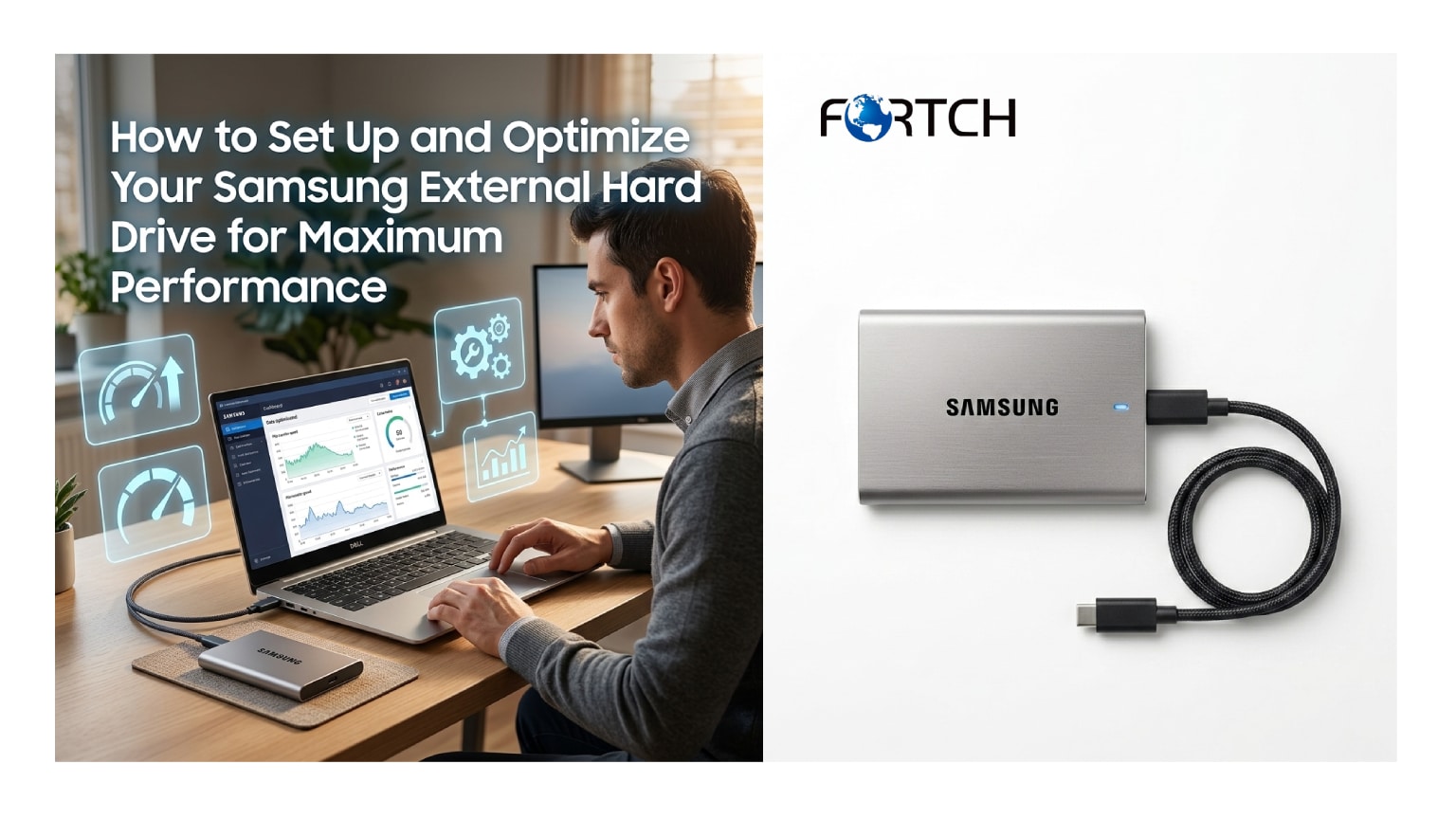
The digital landscape of 2025 demands that businesses not only store data but manage it with speed, security, and scalability. As enterprises generate massive amounts of information, the need for reliable external storage solutions has shifted from a convenience to a necessity. For wholesalers, IT resellers, and B2B procurement managers, ensuring that a Samsung external hard drive is configured correctly can mean the difference between seamless operations and costly data bottlenecks. This guide explores the critical steps for setting up and optimizing these drives, specifically tailored for bulk procurement and customization scenarios.
1. Why High-Performance External Storage is Critical for Business Continuity
The exponential growth of data is driving a fundamental shift in how businesses approach their infrastructure. Recent industry analyses indicate that the global data sphere is expected to exceed 180 zettabytes by 2025, making the management of this information a top priority for enterprises of all sizes. In this environment, external storage serves as a vital extension of the internal network, providing necessary flexibility for data transfer, backup, and remote work capabilities.
Businesses are increasingly relying on high-performance drives to handle large datasets, such as 4K video files and complex financial models, without experiencing latency. The ability to move data quickly and securely is no longer just a technical specification; it is a competitive advantage that directly impacts productivity and operational agility. For wholesale buyers and B2B clients, the reliability of external storage directly correlates with client trust and service continuity. A failure in a storage device can lead to significant data loss, reputational damage, and operational downtime that businesses can ill afford.
Samsung has established itself as a leader in this space, offering drives that combine durability with high-speed data transfer rates, which are essential for maintaining business continuity.
When procuring these devices in bulk, it is crucial to understand that the initial setup and ongoing optimization play pivotal roles in preserving the integrity of the stored data. Properly configured drives ensure that data retrieval is instantaneous and that backups are completed within tight maintenance windows, thereby minimizing the risk of data exposure during transfer processes.
Looking ahead to 2026, market insights suggest that the demand for portable, high-capacity storage will continue to rise, driven by the hybrid work model and the increasing prevalence of the Internet of Things (IoT). As more devices connect to the corporate network, the strain on traditional storage solutions will intensify, making the Samsung external hard drive an indispensable tool for managing data overflow. Companies that proactively integrate high-performance storage solutions into their procurement strategies will be better positioned to handle the data deluge. This trend underscores the importance of not just purchasing hardware, but investing in storage ecosystems that are robust, scalable, and optimized for the specific workflows of modern business environments.
Furthermore, the reliance on external storage facilitates better disaster recovery strategies. In an era where cyber threats are becoming more sophisticated, having physical, offline backups provides an essential layer of security that cloud-only solutions cannot always match. By utilizing high-capacity drives, businesses can create air-gapped backups that are immune to ransomware attacks targeting network-connected storage. This strategic use of physical drives ensures that critical business data remains retrievable under even the most adverse circumstances. Consequently, the role of the Samsung external hard drive extends beyond simple storage; it becomes a cornerstone of a comprehensive business continuity and disaster recovery plan.
2. How to Select the Right Samsung External Hard Drive for Wholesale and Customization Needs
Selecting the appropriate hardware for bulk distribution requires a deep understanding of technical specifications and end-user requirements. For wholesalers and B2B clients, the samsung external hard drive portfolio offers a range of options, but the choice often hinges on the balance between capacity, speed, and ruggedness. The ssd external hard drive 4tb variant, for instance, has emerged as a popular choice for professionals who require large volumes of data to be transported frequently without the risk of mechanical failure associated with traditional spinning disks.
When advising clients or procuring stock, it is essential to assess the primary use case—whether it is for archival purposes, where capacity is king, or for active editing, where speed and throughput are paramount. This distinction ensures that the selected drives align perfectly with the operational needs of the end-users, thereby enhancing satisfaction and reducing return rates.
Customization options are a significant value-add for B2B buyers looking to strengthen their brand presence. Many wholesalers are now seeking OEM services that allow for custom logos, pre-loaded software, or specific encryption protocols to be installed on the drives prior to distribution. A samsung external hard drive can be customized to serve as a premium corporate gift or a standardized tool within a large enterprise, featuring the company’s branding and pre-configured security settings. This level of customization transforms a generic commodity into a bespoke business solution. By offering these services, resellers can differentiate themselves in a competitive market, providing clients with a product that feels tailor-made for their specific environment rather than an off-the-shelf component.
Understanding the technical nuances of different models is crucial for making informed procurement decisions. The ssd external hard drive 4tb models typically utilize USB 3.2 Gen 2 or Thunderbolt interfaces, which provide significantly faster data transfer speeds compared to older standards. For video production houses or design firms, this speed reduction translates to hours saved in transfer times, directly impacting billable efficiency.
Wholesalers must educate their buyers on these technical benefits, highlighting how investing in higher-spec drives like the Samsung T7 Shield or T9 can lead to long-term cost savings through improved productivity. Additionally, the durability of SSDs, with their lack of moving parts, makes them ideal for field work where shocks and vibrations are common, further justifying the investment for mobile workforces.
Market trends projected for 2026 indicate a surge in demand for high-capacity, portable storage as file sizes for professional media continue to grow. The ssd external hard drive 4tb is rapidly becoming the new standard for professionals who previously relied on smaller 1TB or 2TB drives. For B2B buyers, this means that stocking higher-capacity units is not just forward-thinking but necessary to meet upcoming market demands. By analyzing current usage patterns and anticipating future needs, wholesalers can structure their inventory to include a healthy proportion of these high-performance drives. This strategic inventory management ensures that they are prepared to supply the external storage solutions that businesses will require as they transition to data-intensive workflows in the near future.
3. Which Initialization and Formatting Steps Optimize Drive Performance
Proper initialization is the first step in ensuring that a samsung external hard drive delivers optimal performance right out of the box. For B2B deployments, where multiple drives might need to be configured simultaneously, understanding the correct file system is critical. Windows environments typically utilize NTFS, while macOS favors APFS or HFS+, though exFAT is often the preferred choice for drives that need to be cross-platform compatible.
Selecting the wrong file system can lead to performance bottlenecks or file size limitations, particularly when dealing with the large video assets that an ssd external hard drive 4tb is designed to handle. IT managers must ensure that the formatting process is tailored to the operating system ecosystem of the organization to maximize compatibility and read/write speeds.
Beyond the basic file system, the allocation unit size, also known as cluster size, plays a subtle but significant role in performance. When formatting a high-capacity drive for professional use, setting a larger allocation unit size can improve performance when storing large files, such as high-definition video or disk images. Conversely, smaller allocation sizes are better for drives storing a multitude of small text files or documents.
For a wholesale buyer distributing drives to a diverse client base, pre-formatting them with a versatile allocation size or providing clear instructions on how to reformat for specific needs is a valuable service. This attention to detail ensures that the external storage solution performs efficiently regardless of the specific file types being transferred, preventing fragmentation and maintaining high data throughput speeds.
Enabling specific features within the operating system can further enhance the functionality of the drive. For instance, ensuring that the “Write Caching” policy is enabled in Windows can improve data transfer speeds by allowing the system to use RAM to gather write commands before committing them to the disk. However, this must be balanced with the risk of data loss in the event of a power failure, necessitating the use of drives with reliable power-loss protection features.
For a samsung external hard drive, utilizing the manufacturer’s proprietary software, such as Samsung Magician, allows users to check drive health, update firmware, and adjust performance settings. Integrating this software installation into the initial setup process is a best practice for B2B environments, ensuring that all drives remain up to date with the latest performance enhancements and security patches.
The physical connection method also dictates the real-world speed of the drive. While an ssd external hard drive 4tb may be capable of read speeds up to 2,000 MB/s, these speeds are only achievable if the drive is connected to the correct port on the host computer. B2B training should emphasize the importance of using USB-C or Thunderbolt 3/4 ports rather than older USB-A connections to maximize throughput.
Furthermore, using high-quality, shielded cables is essential to maintain signal integrity, especially when the drive is located at a distance from the host. By controlling these variables during the initialization phase, businesses can ensure that they are extracting the maximum possible performance from their external storage investment, thereby reducing wait times and improving overall workflow efficiency.
4. How to Customize Firmware and Settings for Enhanced Corporate Security
Security is a paramount concern for enterprises distributing external storage devices across their workforce. A samsung external hard drive often contains sensitive corporate data, making it a potential target for theft or unauthorized access. To mitigate this risk, businesses should utilize hardware-based encryption features available in many Samsung SSDs. Setting a strong password via the accompanying Samsung Portable SSD software activates AES 256-bit hardware encryption, which secures data without compromising the drive’s speed. This level of security is crucial for compliance with data protection regulations such as GDPR or HIPAA, ensuring that client and company data remains confidential even if the physical drive is lost or stolen during travel.
For wholesale and customization clients, offering pre-configured security settings provides a significant value proposition. Resellers can work with manufacturers to ship drives with security software pre-installed or with specific firmware versions that lock down the device until initialized by the end-user. This “zero-touch” provisioning streamlines the deployment process for IT departments, allowing them to distribute an ssd external hard drive 4tb to employees directly, knowing that the device is already compliant with corporate security policies. Customization can extend to disabling certain ports or features that pose security risks in highly secure environments. By tailoring the firmware and software settings, businesses can create a secure external storage ecosystem that aligns perfectly with their cybersecurity frameworks.
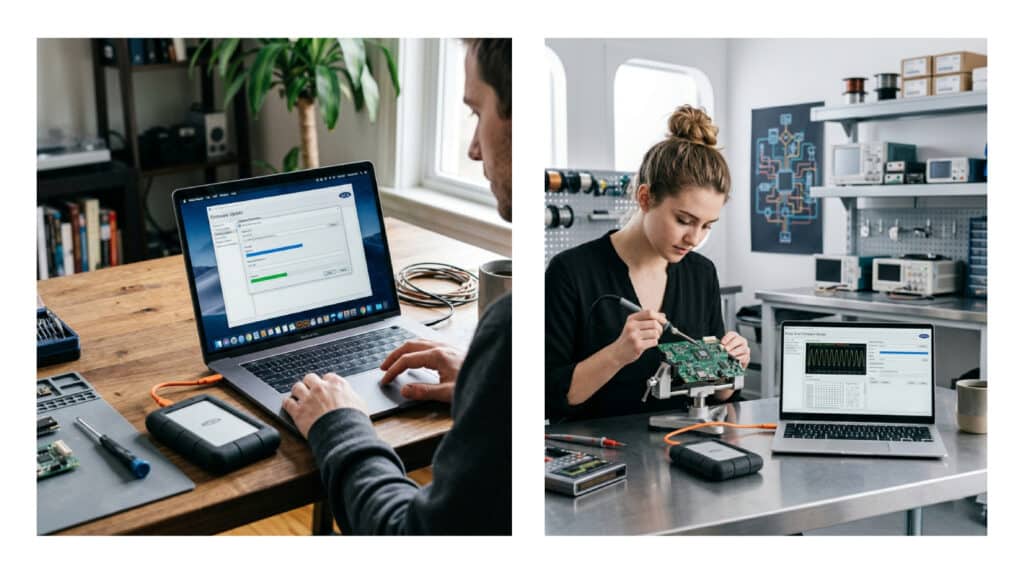
Managing updates and patches is another critical aspect of maintaining drive security and performance. Firmware updates often include fixes for known vulnerabilities and optimizations for data handling algorithms. In a B2B context, where hundreds of drives might be in circulation, keeping firmware updated can be a logistical challenge. Utilizing centralized management tools or providing clear update protocols to IT staff ensures that every samsung external hard drive within the organization maintains the highest security standards. Neglecting these updates can leave drives susceptible to exploits or performance degradation over time. Therefore, a proactive maintenance schedule, supported by automated tools where possible, is essential for preserving the integrity and security of the data stored on these external devices.
Data loss prevention (DLP) strategies should also encompass the use of external drives. Advanced configurations can integrate the external storage device with enterprise DLP software, monitoring what data is being copied to or from the drive. This integration helps prevent the exfiltration of sensitive intellectual property. For instance, policies can be set to prevent copying confidential financial documents to a personal ssd external hard drive 4tb, or to log all transfers for auditing purposes.
p By embedding these security controls into the setup process, companies transform portable storage from a potential liability into a managed, secure asset. This holistic approach to security ensures that the convenience of portable data does not come at the expense of data protection or regulatory compliance.
5. Why the SSD External Hard Drive 4TB is the Optimal Choice for Media and Creative Professionals
The creative industry has undergone a significant transformation, with file sizes for media content ballooning due to the adoption of 4K and 8K video resolutions. For video editors, photographers, and graphic designers, the ssd external hard drive 4tb represents the ideal balance between portability and capacity. Traditional hard disk drives (HDDs) often struggle with the sustained data transfer rates required for editing high-resolution video directly from the drive. In contrast, a Samsung SSD can handle multiple streams of 4K footage without stuttering, allowing creatives to work efficiently from any location. This capability is essential for freelancers and production houses that need to deliver projects quickly while maintaining the flexibility to work on-set or in the field.
Speed is the defining factor that makes the ssd external hard drive 4tb a superior choice for professional workflows. With read and write speeds often exceeding 1,000 MB/s, these drives drastically reduce the time required for file transfers and backups. A project that might take hours to move to a traditional HDD can be transferred in minutes using a high-speed Samsung SSD. This efficiency translates directly to cost savings, as creative professionals can spend more time on billable work and less time waiting for file operations. For B2B clients servicing the media sector, stocking these high-performance drives is essential to meeting the demanding technical requirements of their customers, who simply cannot afford the downtime associated with slower storage technologies.
Durability is another critical consideration for professionals who frequently travel with their data. The samsung external hard drive utilizing SSD technology is inherently more rugged than its mechanical counterpart because it lacks moving parts. This makes it resistant to the shocks and drops that often occur during location shoots or daily commutes. Many models also feature reinforced internal frames and rubberized exteriors to provide additional protection against physical damage. For a video editor working in a rugged environment or a photojournalist traveling abroad, the reliability of their external storage is non-negotiable. The peace of mind that comes with using a durable, shock-resistant drive allows professionals to focus on their craft rather than worrying about potential hardware failure.
Looking towards 2026, the trend towards higher fidelity content will only accelerate, further cementing the necessity of high-capacity, high-speed storage. As virtual reality and augmented reality projects become more mainstream, the demand for the ssd external hard drive 4tb will spike, as these formats require massive amounts of fast storage for texture files and assets. Wholesalers and B2B providers who cater to the creative industries must anticipate this shift by prioritizing SSDs in their inventory. By understanding the specific pain points of media professionals—such as the need for speed and durability—businesses can position themselves as trusted partners who provide the essential tools that power the creative economy.
6. How to Maintain and Optimize External Storage for Long-Term Reliability
Ensuring the longevity of external storage devices requires a proactive approach to maintenance and usage habits. While modern Samsung external hard drive units are designed for durability, they still require care to ensure they perform optimally over years of use. One fundamental practice is to safely eject the drive before disconnecting it from the computer. Abruptly removing a drive while data is being written can cause corruption of the file system and potential data loss. For B2B environments, training staff on the proper ejection protocols is a simple yet effective way to prevent hardware failure and data corruption, thereby extending the lifespan of the investment and reducing IT support tickets related to storage issues.
Monitoring the health of the drive is essential for predictive maintenance and preventing unexpected failures. Utilizing tools like Samsung Magician allows IT administrators to monitor the S.M.A.R.T. (Self-Monitoring, Analysis, and Reporting Technology) status of the drive. This technology provides advanced warning of potential issues, such as bad blocks or impending component failure, allowing users to back up data before the drive fails completely. For businesses managing a fleet of ssd external hard drive 4tb units, integrating these health checks into regular system maintenance schedules is crucial. This data-driven approach to maintenance ensures that drives are replaced or serviced proactively, safeguarding the valuable business data they hold against unexpected hardware malfunctions.
Temperature management is another critical factor in maintaining drive performance. SSDs generate heat during intensive write operations, and excessive heat can throttle performance or degrade the components over time. Users should ensure that the external storage device is used in a well-ventilated area and not covered by materials that could trap heat. For drives encased in protective or customized skins, it is vital to ensure that these materials do not impede heat dissipation. In some high-performance scenarios, active cooling solutions might be necessary to maintain optimal operating temperatures. By managing the thermal environment of the drive, businesses can ensure consistent performance and prevent the thermal throttling that can slow down critical data transfer operations.
Finally, keeping the drive free from unnecessary clutter helps maintain its speed and responsiveness. While SSDs do not suffer from fragmentation in the same way HDDs do, keeping the drive at least 10-20% empty allows the controller to efficiently manage garbage collection and wear leveling. This is particularly relevant for an ssd external hard drive 4tb that might be filled to capacity with large media files. Encouraging users to archive old data to slower, larger archival storage can keep the primary working drive running at peak efficiency. By implementing these maintenance best practices, businesses can maximize the return on their storage investments, ensuring that their samsung external hard drive fleets remain reliable, fast, and secure for the long haul.
7. Which Value-Added Customization Services Boost B2B Brand Equity
In the competitive B2B marketplace, offering generic hardware is often insufficient to capture high-value contracts. Wholesalers and resellers can significantly differentiate themselves by offering value-added customization services for external storage devices. Laser engraving a company logo or a specific serial number on a samsung external hard drive transforms it into a branded asset. This is particularly effective for corporate gifting, trade show handouts, or internal company asset tagging. A branded drive not only enhances the professional image of the company distributing it but also serves as a constant, tangible reminder of the brand every time the end-user accesses their files. This subtle form of marketing builds long-term brand recognition and loyalty.
Pre-loading digital content onto the drives is another powerful customization strategy. When a business distributes an ssd external hard drive 4tb, they can pre-install product catalogs, marketing videos, software installation suites, or security protocols. This ensures that the recipient has immediate access to essential materials without needing to download them, reducing friction and enhancing the user experience. For software companies, distributing their applications on customized, high-speed drives adds a layer of perceived value and professionalism. This “plug-and-play” capability is highly appreciated in B2B settings, where efficiency is paramount. By controlling the initial content on the drive, businesses can guide the user experience and deliver their message directly to the target audience.
Custom packaging and accessories also play a significant role in enhancing the perceived value of the product. Instead of standard retail packaging, wholesalers can design custom boxes that align with the client’s corporate identity, including tailored user manuals or quick-start guides. Including accessories such as custom-length cables, protective cases with the client’s logo, or docking stations creates a comprehensive storage solution. For a samsung external hard drive being deployed as part of a larger office setup, having bespoke packaging that matches the office aesthetics or corporate colors reinforces a cohesive brand identity. These touches may seem minor, but they significantly impact the unboxing experience and the overall satisfaction of the B2B client.
Looking towards 2026, the integration of cloud synchronization services or proprietary management software onto these drives will become a key differentiator. Wholesalers can partner with software developers to offer customized versions of backup utilities that default to the client’s preferred cloud storage provider or corporate server. This level of software-hardware integration adds immense value for enterprise clients looking to standardize their IT infrastructure across multiple locations. By offering these sophisticated customization services, suppliers of external storage solutions can elevate their status from simple hardware vendors to strategic partners, deeply integrated into their clients’ operational workflows and branding strategies.
Conclusion
Optimizing a Samsung external hard drive for maximum performance involves much more than simply plugging it in. For B2B buyers, wholesalers, and IT professionals, it requires a strategic approach that encompasses selecting the right hardware, such as the high-capacity ssd external hard drive 4tb, implementing robust security measures, and utilizing customization to enhance brand value. As we move further into 2025 and towards 2026, the volume and importance of data will only continue to grow, making reliable, high-speed external storage a critical component of business infrastructure.
By following the setup and optimization guidelines outlined above—ranging from proper formatting and firmware management to physical maintenance and value-added branding—businesses can ensure they are leveraging the full potential of their storage investments. The integration of these drives into a well-managed, secure, and branded ecosystem not only protects critical data but also enhances operational efficiency and professional image. To explore how customized Samsung storage solutions can transform your business operations or to discuss wholesale pricing for bulk orders, please contact our sales team today. Let us help you build a storage strategy that drives your business forward.
Frequently Asked Questions
1. Why is the Samsung external hard drive considered a superior choice for B2B environments?
The Samsung external hard drive is engineered for high durability and speed, which are critical for business continuity. It utilizes advanced NAND technology and often includes ruggedized casings that protect against drops and shocks, making it ideal for fieldwork and daily commutes. Additionally, Samsung’s proprietary software, such as Samsung Magician, allows IT departments to monitor drive health and manage firmware updates efficiently, ensuring that the storage infrastructure remains secure and reliable across an enterprise.
2. How should I format an external storage device for maximum cross-platform compatibility?
For businesses operating in mixed-OS environments, formatting the drive to exFAT is generally recommended. This file system allows for read and write access on both Windows and macOS without the need for third-party drivers. While NTFS is best for Windows-only environments and APFS is optimized for macOS, exFAT provides the flexibility needed for external storage solutions that must be shared across different departments or with external clients who may use varying operating systems.
3. What specific advantages does the SSD external hard drive 4TB model offer over smaller capacities?
The ssd external hard drive 4tb model strikes an optimal balance between massive storage capacity and high-speed performance. As file sizes for 4K video, CAD designs, and datasets continue to grow, smaller drives quickly fill up, forcing users to carry multiple devices. A 4TB drive consolidates workflows into a single, portable unit, reducing clutter. Furthermore, SSDs offer significantly faster data transfer rates than traditional HDDs, meaning large 4TB backups take a fraction of the time, thereby improving operational productivity.
4. Which customization options are available for wholesale buyers purchasing Samsung external hard drives?
Wholesale buyers can access a variety of OEM customization services to enhance brand equity. These options include laser engraving of company logos for asset tagging or corporate gifting, custom packaging design to align with brand guidelines, and pre-loading digital content such as product catalogs or security software. Additionally, wholesalers can request specific firmware configurations that lock the drive to certain settings or pre-initialize the drives with corporate security protocols, streamlining deployment for large B2B clients.
5. How can businesses ensure data security on portable drives used by remote employees?
Security can be enforced by utilizing the hardware-based AES 256-bit encryption features built into many Samsung drives. IT administrators should mandate that all employees set strong passwords via the Samsung Portable SSD software before the drive can be accessed. For added control, businesses can integrate the external storage devices with Data Loss Prevention (DLP) policies that log file transfers or restrict the types of data that can be copied to the drive, ensuring sensitive corporate information remains secure even off-premises.
6. Why is monitoring drive health important for long-term data integrity?
Monitoring the health of a Samsung external hard drive using S.M.A.R.T. (Self-Monitoring, Analysis, and Reporting Technology) tools allows businesses to predict and prevent hardware failures before they result in data loss. By keeping an eye on metrics like wear leveling counts and bad blocks, IT managers can replace drives proactively during scheduled maintenance windows rather than reacting to emergency crashes. This predictive maintenance approach is vital for minimizing downtime and protecting critical business assets.
7. How does allocation unit size affect the performance of a high-capacity SSD?
Allocation unit size, or cluster size, dictates how much space is allocated for each file on the drive. For a high-performance ssd external hard drive 4tb used to store large video files or virtual machine images, setting a larger allocation unit size (e.g., 64KB or 128KB) can improve read/write speeds by reducing the overhead of managing file fragments. Conversely, for drives storing thousands of small documents, smaller allocation sizes are more efficient. Properly tuning this setting during the initial setup ensures the drive operates at peak efficiency for its intended workload.
8. What are the market trends for external storage solutions heading into 2026?
Industry insights for 2026 suggest a sharp increase in the demand for high-capacity, portable storage driven by the hybrid work model and the explosion of IoT data. Businesses are moving away from purely cloud-based backups to hybrid models that utilize physical external storage for air-gapped disaster recovery. This trend underscores the need for reliable, high-speed drives like the 4TB Samsung SSD, which provide the necessary bandwidth and security to handle the massive data volumes generated by modern digital enterprises.
9. How can I optimize the physical connection to ensure maximum data transfer speeds?
To achieve the maximum advertised speeds of a Samsung external hard drive, it is essential to connect the drive to the correct interface. Users should utilize USB-C, USB 3.2 Gen 2, or Thunderbolt 3/4 ports rather than legacy USB-A ports, which often bottleneck data transfer rates. Furthermore, using high-quality, shielded cables ensures signal integrity and prevents connection drops. In a B2B setting, equipping workstations with the appropriate cabling and port adapters is a simple yet effective way to unlock the full performance potential of the storage hardware.
10. Why is pre-loading content a valuable value-added service for B2B clients?
Pre-loading content transforms a generic storage device into a turnkey solution. For software companies or media distributors, loading an ssd external hard drive 4tb with installers, high-res assets, or marketing materials before shipping ensures that the end-user has immediate access to necessary data without needing slow internet downloads. This service enhances the customer experience, reduces support calls related to setup, and allows the distributor to control the initial user interaction, making it a powerful tool for brand engagement and customer satisfaction.